

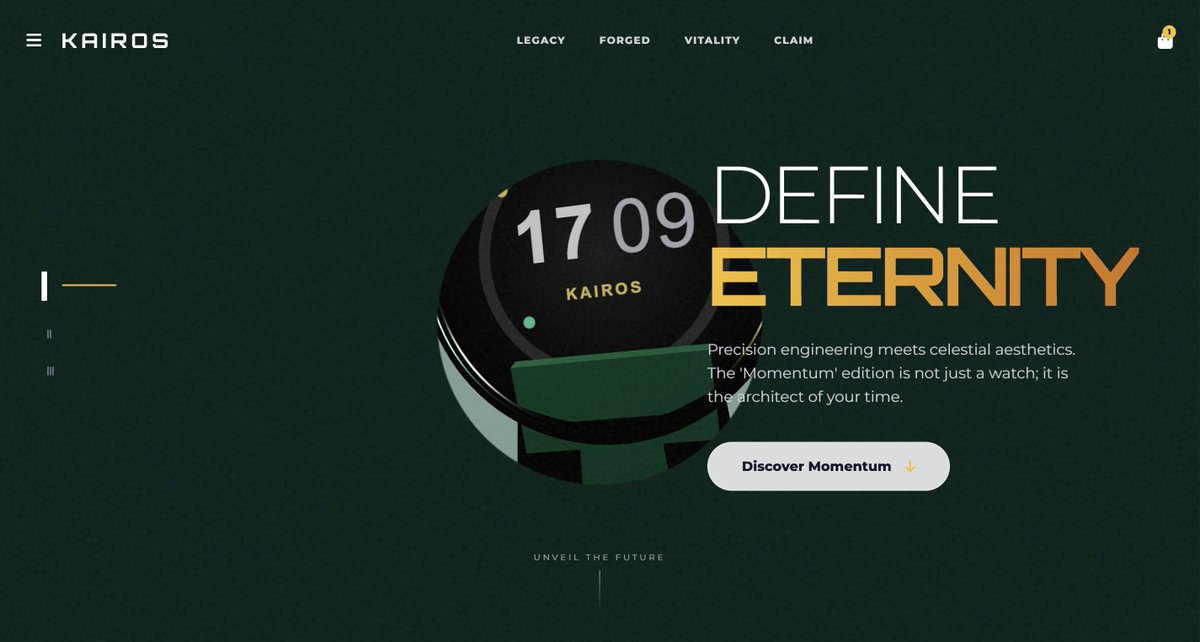
Create one HTML file for a {argument name="product_type_en" default="luxury smartwatch"} page using Three.js, Anime.js, and Tailwind. Make a 3D {argument name="main_object_en" default="watch"} model, a dark textured overlay with a round hole showing the {argument name="main_object_background_en" default="watch on beige"}, and animate the header and big numbers to slide in when the page loads.

Make the page more professional. Replace the static hole with an iris that opens on load. Add a glass dome over the {argument name="focus_area_en" default="watch face"} with reflections, improve metal materials, add mouse parallax so the {argument name="parallax_target_en" default="watch"} rotates with the cursor, and draw time and fitness rings on the {argument name="dial_area_en" default="watch face"}.

Turn the single screen into a multi-section scroll site. When the user scrolls, animate the 3D {argument name="scroll_object_en" default="watch"} to move and rotate to match each section. Keep the 3D canvas and background fixed while text scrolls over them; only the {argument name="moving_element_en" default="watch"} moves.

- fixed canvas: position the canvas



0 Comments
👥 Co-learning Circle 0
Observe other members' variables & configurations, and click "Study & Retry" to instantly import settings and practice!