

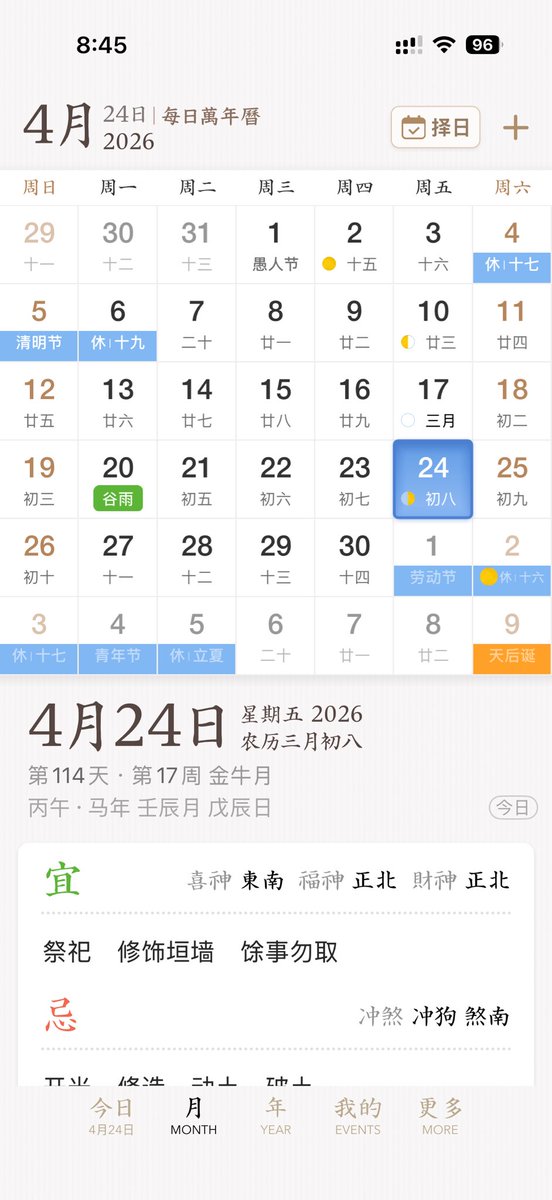
A clean, elegant iPhone app UI mockup for a Chinese perpetual calendar and almanac app, shown as a full-screen mobile screenshot on a soft warm white background with subtle paper-like texture and refined East Asian editorial aesthetics. The interface uses a minimalist serif-and-sans mix, muted brown, gray, black, pale blue, green, and gold accents, with spacious layout and delicate dividers. Show the iOS status bar at the top with the time 8:45, cellular signal, Wi‑Fi icon, and a battery indicator reading 96. Below it, a header for [month] with secondary text “24日 | 每日万年历” and, on the right, a rounded rectangular date-picker button labeled “择日” with a calendar icon plus a separate plus symbol. The main section is a monthly calendar grid for [year], with 7 weekday columns labeled Sunday through Saturday in Chinese: 周日, 周一, 周二, 周三, 周四, 周五, 周六. Render a 6-row month view with exactly 42 date cells including adjacent-month dates. The visible dates should be: first row 29, 30, 31, 1, 2, 3, 4; second row 5, 6, 7, 8, 9, 10, 11; third row 12, 13, 14, 15, 16, 17, 18; fourth row 19, 20, 21, 22, 23, 24, 25; fifth row 26, 27, 28, 29, 30, 1, 2; sixth row 3, 4, 5, 6, 7, 8, 9. Each day cell includes a large Gregorian date and a smaller Chinese lunar date or note underneath. Include colored holiday and solar-term tags across specific cells, with exactly 10 highlighted labels visible: “休十七” on the 4th, “清明节” on the 5th, “休十九” on the 6th, “谷雨” on the 20th in green, “劳动节” on the next-month 1st, “休十六” on the next-month 2nd, “休十七” on the last-row 3rd, “青年节” on the last-row 4th, “休立夏” on the last-row 5th, and “天后诞” on the last-row 9th in orange. Add small lunar phase markers on a few days, including yellow crescent or dot icons around the 2nd, 10th, 17th, 24th, and next-month 2nd. Make the [selected date] cell in the Friday column stand out with a rounded blue gradient tile and soft shadow, with smaller text “初八” inside. Beneath the calendar, show a detailed daily information panel separated by whitespace. The left side features a very large date title “4月24日”; the right side stacks “星期五 2026” and “农历三月初八”. Below that, include smaller gray metadata lines such as “第114天 · 第17周 金尊月” and a traditional sexagenary/date string like “丙午 · 马年 壬辰月 戊辰日”. At the far right of this metadata area, place a rounded outline pill button labeled “今日”. Underneath, present a large white rounded card with almanac guidance. The card contains two major sections with exactly 2 headings: a green “宜” section and a red “忌” section, separated by fine dotted dividers. In the “宜” section, include the directional fortune line “喜神 东南 福神 正北 财神 正北” and three activity items: “祭祀”, “修饰垣墙”, “余事勿取”. In the “忌” section, include the conflict line “冲煞 冲狗 煞南”. At the bottom, show a 5-item iOS-style tab bar with labels exactly “今日”, “MONTH”, “YEAR”, “EVENTS”, “MORE”; the first tab is active and includes the small sublabel “4月24日”. Overall style: premium app design concept, calm scholarly Chinese calendar aesthetic, high-fidelity mobile product shot, realistic yet idealized interface, perfectly aligned typography, subtle shadows, soft contrast, and polished startup-quality UI.



0 Comments
👥 Co-learning Circle 0
Observe other members' variables & configurations, and click "Study & Retry" to instantly import settings and practice!