

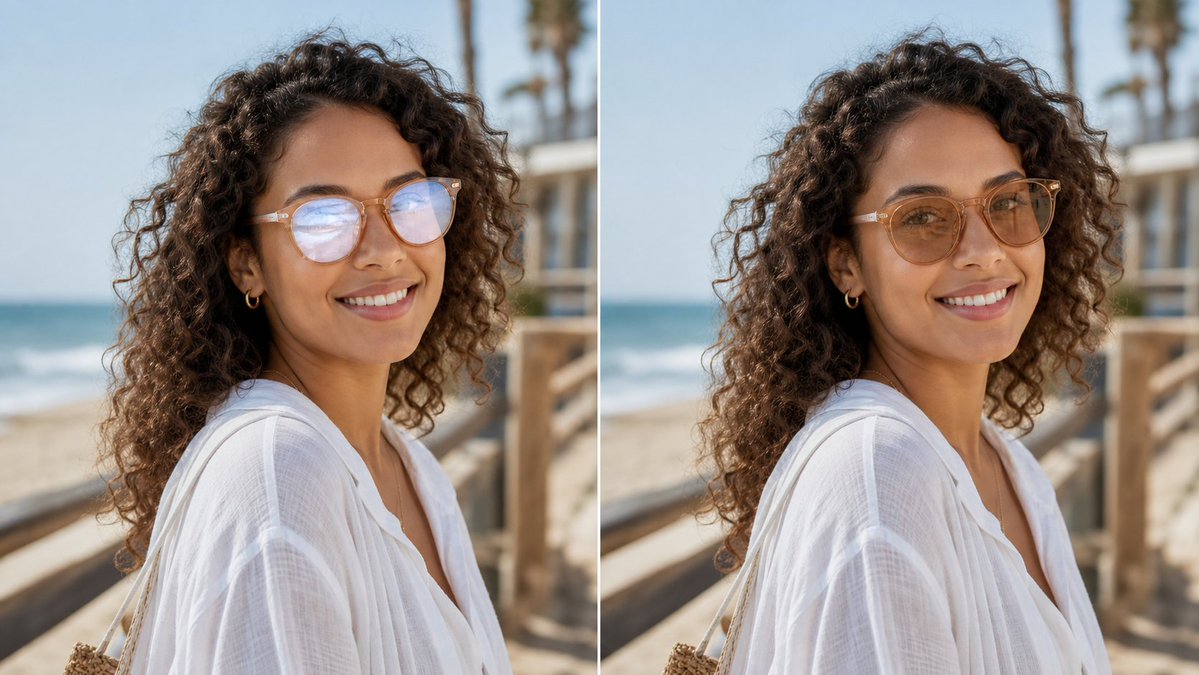
Create a realistic side-by-side before-and-after comparison image showing the same outdoor portrait in two vertical panels separated by a thin white divider. The subject is [subject description], photographed from the shoulders up in three-quarter profile on a sunny beach boardwalk. The background shows ocean waves on the left, pale blue sky, wooden railings, and softly blurred palm trees, with shallow depth of field and natural warm daylight. Use exactly 2 panels: left panel is the original portrait with visible glasses glare/reflections partially obscuring the eyes, and right panel is the edited version where the glare has been removed and the eyes look natural while the face shape, pose, hair, clothing, lighting, and background remain unchanged. Add no labels or captions. Preserve photorealistic texture in the curls, translucent white fabric, skin tones, and beach environment. Keep the composition cropped horizontally like a social media comparison image, with the subject centered across both panels and the edit looking subtle and trustworthy for a profile photo. Use [image ratio], [setting], and [edit goal].



0 Comments
👥 Co-learning Circle 0
Observe other members' variables & configurations, and click "Study & Retry" to instantly import settings and practice!