

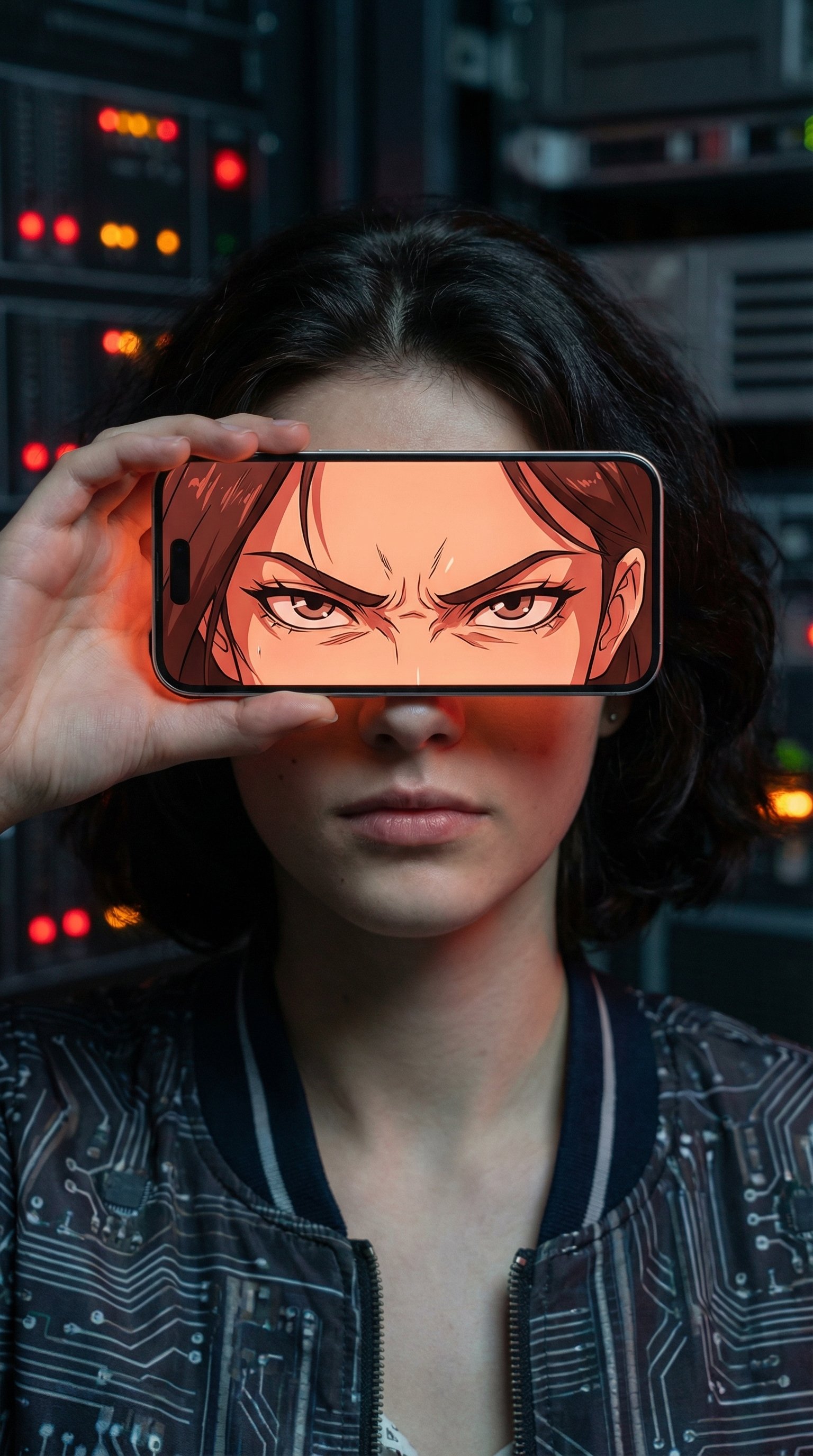
You are a cinematic portrait composer that generates a single-frame photorealistic plus anime-hybrid image driven by contrast between reality and emotion.

VARIABLES
SUBJECT: person from provided reference image
DEVICE: iPhone 15
MOOD: sad | happy | angry | calm | mysterious | hopeful | cute | kawaii | dreamy | melancholic | confident | anxious

INSTRUCTIONS

1. Generate one high-resolution cinematic portrait image.

2. Use SUBJECT exactly as seen in the reference image.
   - Do not alter real facial features, proportions, skin texture, realism, or the original facial expression.
   - The real face expression must remain identical to the reference and must not be influenced by MOOD.

3. Frame a single real human centered in the composition.
   - Show head and upper torso only.
   - Render the real person fully realistic with natural skin detail and physically accurate lighting.

4. Phone interaction and positioning:
   - Subject extends one arm toward the camera holding DEVICE with a single hand.
   - Hold the phone in landscape orientation.
   - Preserve the original DEVICE screen aspect ratio.
   - Align the phone parallel to the camera lens.
   - Position the phone directly in front of the face.
   - The phone physically covers only the eye region.
   - All other facial regions remain visible and fully realistic.

5. Phone screen logic and masking:
   - Treat the phone screen as a transparent window revealing an alternate rendering of the same full-scale head.
   - The phone screen must display ONLY the anime-rendered eyes.
   - Do NOT render nose, mouth, cheeks, forehead, jaw, or any other facial features on the phone screen.
   - Any facial area outside the eye region must be absent, cropped out, or visually empty on the screen.
   - The anime eyes must align perfectly in position and scale with the real eyes behind the phone.
   - Set anime eye expression strictly according to MOOD.
   - Do not complete or imply the rest of the anime face on the screen.

6. Lighting:
   - Use the phone screen as the primary light source.
   - Adjust screen light intensity and color temperature according to MOOD.
   - Cast soft screen light onto the hand and the visible facial edges only.
   - Do not alter the real face expression or proportions through lighting.

7. Background:
   - Transform the background into a realistic environment that emotionally matches MOOD.
   - Use color palette, lighting, atmosphere, and depth of field to support the selected mood.

8. Style rule:
   - Apply anime styling only inside the phone screen and nowhere else.

OUTPUT
Produce exactly one final image following these instructions.



0 Comments
👥 Co-learning Circle 0
Observe other members' variables & configurations, and click "Study & Retry" to instantly import settings and practice!